
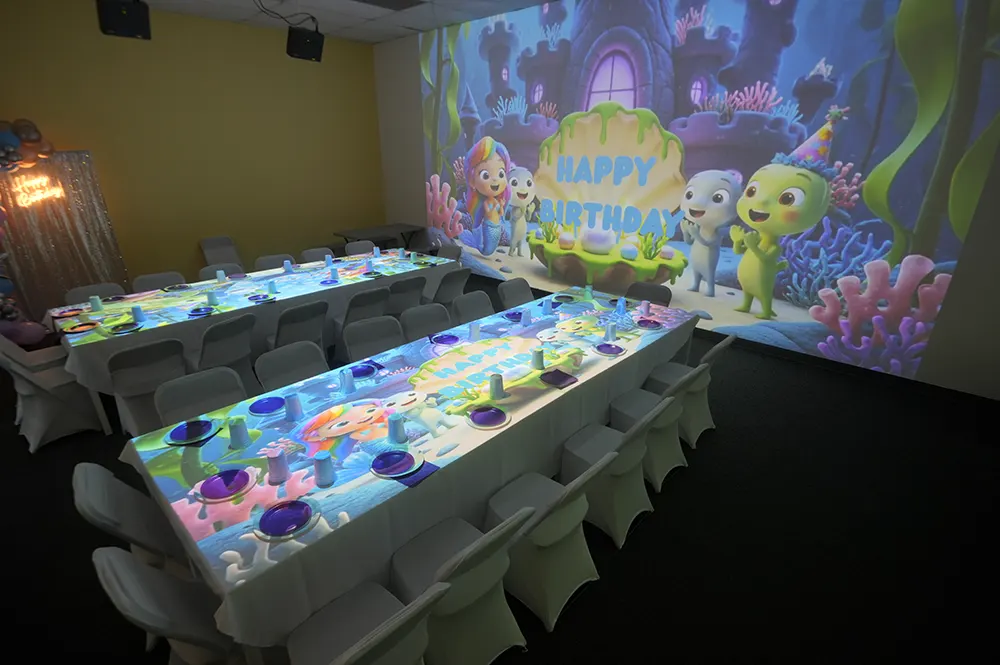
Children encounter digital technology from an early age, but not every digital experience requires sitting still in front of a screen. Modern interactive games can combine projected content with movement, touch, communication, and hands-on exploration.
Instead of simply watching events unfold, children shape the experience through their own actions. They may step on virtual objects, throw balls at moving targets, reshape a digital landscape, or work with classmates to complete a task.
When activities are selected according to a child’s age and abilities, this format can complement classroom instruction, physical education, sensory play, and recreational programs. It gives schools, therapy centers, museums, and entertainment venues another way to combine digital content with active participation.
What Are Interactive Games and How Do They Differ from Traditional Play?
Interactive games respond directly to the player. A sensor or camera detects movement, touch, or another physical action, and the software updates the projected scene accordingly.
For example, a floor projection may react when a child steps on a virtual leaf, while an AR sandbox can update its colors and terrain as the child reshapes the sand. The child is not simply viewing digital content – their actions influence what happens next.
Traditional play is usually built around toys, physical materials, imagination, communication, and established rules. Interactive technology does not replace these elements. It adds a responsive digital layer that can provide visual effects, sounds, tasks, scores, or changing digital environments.
Many projection-based games also involve the whole body. Children may jump between objects, reach for targets, follow a route, throw a ball, or coordinate their actions with another player. This creates a learning experience in which observation and decision-making are directly connected to movement.
How Interactive Games Can Support Child Development
The value of an interactive activity depends on its content, difficulty level, and the way it is introduced. One game may focus on movement, while another may involve memory, matching, communication, or tactile exploration.
Cognitive Skills and Executive Function
Interactive tasks can encourage children to observe, remember instructions, compare options, and make decisions.
A game may ask players to recognize a pattern, arrange objects in the correct order, identify a matching image, or choose an answer before the scene changes. These tasks can involve attention, working memory, sequencing, and problem-solving.
Teachers can adjust the challenge through their instructions and selection of content. Younger children might identify colors and shapes, while older students can work with numbers, words, categories, or multi-step tasks.
Gross Motor Skills and Body Awareness
Projection-based play often requires children to move across a designated area rather than interact with a small handheld device.
Stepping, jumping, reaching, turning, and throwing can provide practice in balance, coordination, timing, spatial awareness, and movement control. Ball-based activities may also involve accuracy and hand-eye coordination.
Because each movement serves a clear purpose within the game, children may be more willing to repeat the action and make adjustments when needed.
Fine Motor and Tactile Experiences
Some interactive activities rely on smaller, more controlled hand movements. Children may draw, touch specific objects, shape materials, or manipulate elements within a play area.
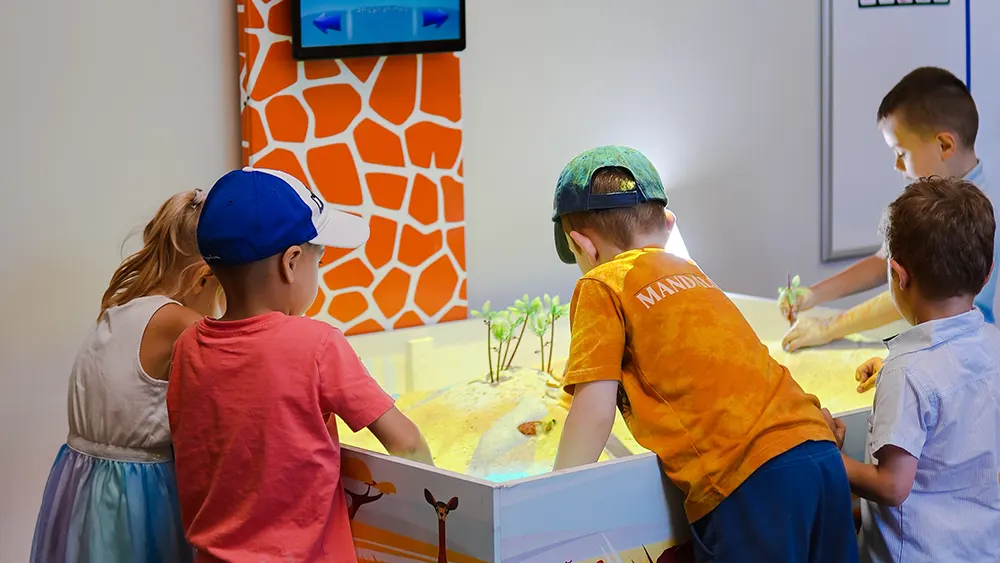
An interactive sandbox is a clear example. Children can form hills, dig channels, flatten areas, and create detailed landscapes with their hands. The projected image changes as the surface changes, linking tactile exploration with immediate visual feedback.
Social-Emotional Learning
Many interactive games allow children to try again without treating an incorrect action as the end of the activity.
A missed target, incorrect answer, or unsuccessful movement becomes part of the process. The child can observe what happened, change their approach, and make another attempt.
Appropriately selected tasks may therefore encourage persistence and help children become more comfortable with learning through gradual improvement.
Social and Communication Skills
Group games create situations in which children need to listen, take turns, share the play area, and coordinate their actions.
Players may discuss which target to select, divide responsibilities, or support a teammate. Teachers can also ask children to explain their decisions, describe what they see, or predict what will happen next.
This makes interactive play useful not only for physical activity but also for structured communication and collaborative learning.
Core Formats of Interactive Play
Interactive systems differ in the type of surface they use, the actions they recognize, and the experiences they create.
Projection-Based Floor Systems
An interactive floor projects digital scenes onto a floor surface and uses tracking technology to recognize players’ movements.
Children interact by walking, jumping, stepping on objects, or moving through the projected space. Depending on the selected content, the same area can be used for educational exercises, sports activities, arcade-style challenges, and cooperative games.
The Kids Jump Tech Interactive Floor is designed for movement-based learning and play in schools, activity rooms, therapy settings, museums, and entertainment venues.
The Mobile Interactive Floor can be moved between suitable spaces, making it useful for facilities that do not want to reserve a single room for a permanent installation.
Projection-Based Wall Systems
An interactive wall places the digital action on a vertical surface. Players influence the game by touching the projection or hitting targets with soft balls.
The Kids Jump Tech Interactive Throwing Wall combines physical throwing with responsive graphics. A successful hit may remove an object, award points, reveal a new element, or advance the task.
This format can support target practice, reaction activities, team competitions, and educational games. Facilities that require a portable solution can also consider the Mobile Interactive Wall.
Sensory and Tactile AR Systems
The Kids Jump Tech Interactive AR Sandbox combines real quartz sand with augmented reality projection.
Children change the physical surface by building hills, valleys, channels, or flat areas. The system reads the height and shape of the sand and applies digital colors and effects to the reshaped landscape.
Depending on the game, children can explore terrain, water, animals, dinosaurs, excavation themes, and imaginative environments. This combination of real material and digital response makes the sandbox suitable for creative, educational, and sensory activities.
Large-Format Systems for Gyms and Activity Spaces
Larger interactive systems provide enough room for several players to move at the same time.
They can be installed in school gyms, sports halls, museums, spacious playrooms, and family entertainment centers. Activities may involve running, changing direction, jumping, throwing, or working together across a larger projection area.
The content can be selected according to the room, number of participants, and purpose of the activity.
Real-World Examples of Interactive Play
The technology itself is only one part of the experience. Its practical value comes from how teachers, therapists, and activity coordinators integrate it into a lesson or program.
Preschool Color and Shape Activity
A preschool teacher can project colors, shapes, animals, or familiar objects onto the floor.
Children might move to the red circle, find two matching animals, follow a sequence of shapes, or step on the object named by the teacher. The activity combines listening and concept recognition with physical movement.
For older preschoolers, the teacher can introduce multiple instructions at once or ask children to remember a short sequence.
Elementary Math Review
A floor or wall projection can turn math review into an active task.
Students may solve an equation and move to the correct answer, arrange numbers in order, or hit a specific target with a soft ball. The Hopscotch game for the interactive wall is one example of combining number sequences with physical action.
This format is best used as reinforcement rather than as a replacement for direct teaching.
Vocabulary and Visual Matching
Interactive projection games can be incorporated into activities involving vocabulary, visual recognition, and categorization.
Children may connect an image with its silhouette, choose an object from the correct category, or find a picture after hearing its name. The Birds and Shadows game uses visual matching and movement within the same activity.
Teachers can extend the task by asking students to name the object or explain why they selected it.
PE Warm-Ups and Movement Stations
An interactive system can become one station in a physical education lesson.
Students may move between projected objects, react to changing targets, practice throwing, or complete short movement challenges. The teacher can alternate these games with conventional stretches, balance exercises, or sports drills.
This gives children a visual objective for each movement and introduces variety into repeated exercises.
Cooperative Classroom Challenges
Interactive activities can also be organized around a shared result.
Several players might collect objects together, protect part of the screen, sort projected items, or complete separate stages of one task. A teacher can assign different roles so that children must communicate before acting.
The game then becomes a framework for practicing teamwork rather than simply competing for points.
Sensory Room Activities
An AR sandbox can provide a structured hands-on activity in a sensory room or therapist-guided session.
A child may create a channel for projected water, shape a landscape, uncover digital objects, or arrange terrain around animals. The African Animals AR sandbox game creates a savanna environment with water, plants, and animals.
The quartz sand provides tactile input, but the duration, pace, and visual intensity of the activity should be adjusted to each participant’s needs.
Museum and Visitor Experiences
Museums can use an AR sandbox to introduce visitors to topography, ecosystems, excavation, or natural environments.
Instead of only reading or watching a display, visitors can physically change the terrain and observe the result. This makes the exhibit more participatory and allows children to explore the subject through experimentation.
Examples of installations in educational and public spaces are available in the company’s case studies and completed installations.
Family Entertainment Centers
Interactive projector games allow an FEC to offer several types of play within the same designated area.
Operators can change the software for open play, group competitions, birthday parties, or age-specific sessions. A wall may be used for target challenges, while a floor can host sports, arcade, or movement-based games.
Because the experience changes with the selected content, one installation can serve different visitor groups without requiring a new physical attraction for every theme.
Home and Homeschool Learning
Kids Jump Tech systems are commonly installed in schools, therapy centers, museums, and entertainment venues, but families may also consider interactive projector games for home use, particularly for homeschooling or regular indoor activity.
A mobile system can be used for educational review, movement breaks, family games, or active play. Before installation, parents should consider room dimensions, lighting, available projection space, supervision, and how often the equipment will be used.
Why Interactive Games Can Provide Long-Term Value
The initial visual effect may attract attention, but the long-term benefit depends on how often the system can be used and how many applications it supports.
Choosing the Right Interactive Format
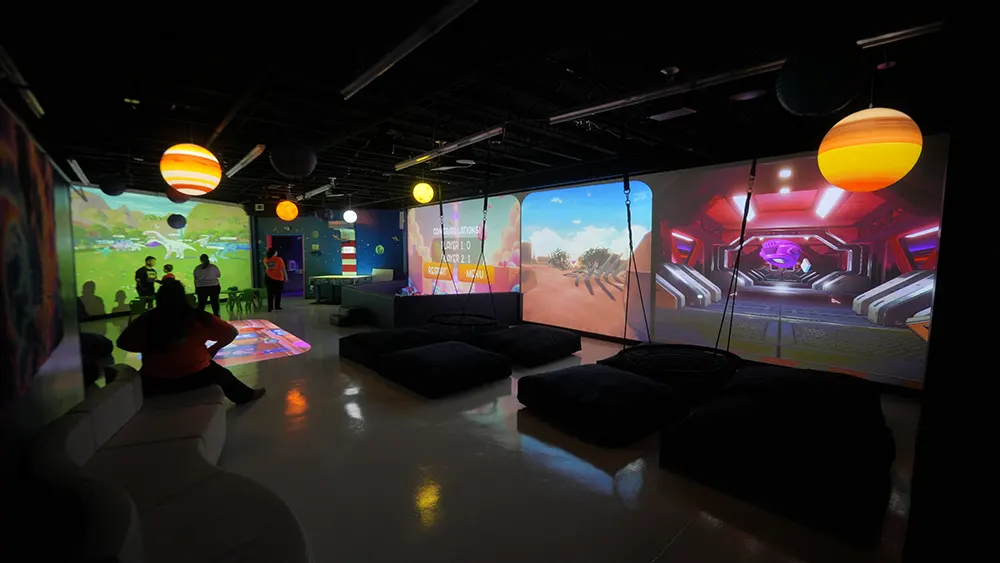
The right system depends on the intended activities, available space, participant age, typical group size, and installation conditions.
An interactive floor is well suited for full-body movement and group learning. A throwing wall focuses more on targets, reaction time, and hand-eye coordination. An AR sandbox introduces a tactile material that children can shape and explore.
Before selecting equipment, facilities should evaluate:
These factors determine how easily the system can be incorporated into everyday activities after installation.
Conclusion
Interactive games add responsive digital content to physical play. Children do not only watch the screen – they move, touch, build, communicate, and make decisions that affect the activity.
These systems are not intended to replace teachers, therapists, conventional toys, sports, or hands-on materials. Their role is to expand the range of activities available in educational, sensory, recreational, and entertainment settings.
Whether children are reshaping quartz sand, throwing balls at projected targets, or moving through a digital floor scene, the activity is most useful when it has a clear purpose and an appropriate level of difficulty.
Explore the full range of Kids Jump Tech interactive equipment for schools, therapy settings, museums, family entertainment centers, and other child-focused spaces.