Equipment Safety & Certifications

Equipment Safety & Certifications

At KIDSjumpTECH, we assemble, configure, and test interactive equipment for schools, museums, therapy spaces, and entertainment venues. We combine internal quality checks, commercial hardware components, and installation requirements tailored to each system.

From the activity surface to the mounting arrangement, every part of the setup matters. Below, we explain how we prepare our equipment, what component documentation covers, and how operators can support comfortable, inclusive play.

Assembly, Testing & Quality Control

At our Florida facility, we assemble and integrate interactive floors, sandboxes, drawing scanners, and projection walls. Before shipping, every system goes through mechanical assembly, software configuration, calibration, and internal quality checks.

Mechanical Assembly & Software Integration

Our engineers install the enclosures, projectors, computing units, and optical sensors, then check internal mounts, brackets, and supporting elements to make sure they stay stable under vibration. Calibration lines up the optics and sensor coverage with the intended activity area.

We install the operating system and our proprietary software on the control computer, set up server-based automatic license checks, and preinstall remote-support tools like Splashtop, TeamViewer, and AnyDesk for diagnostics and assistance.

72–96 Hours of Load Testing

Every assembled system goes through 3–4 days of internal stress testing under sustained high-performance loads that simulate daily use in a busy play space. Keep in mind that this internal quality-control process is separate from external product safety certification.

  • Electrical checks: Repeated power-cycling tests confirm power-supply stability, motherboard power delivery, and reliable startup without freezes or critical errors.
  • Thermal monitoring: We track processor and projector temperatures under peak loads to see how well the enclosures stay cool.
  • Peripheral testing: We check how responsive the LiDAR, Orbbec, and RealSense sensors (where fitted) and control tablets stay during extended use.

Three Checks Before Shipment

  • Assembly engineer: Checks cables, sensors, control tablets, and protective cases against the checklist and records electrical and software test results.
  • Packing specialist: Inspects enclosure condition, checks the package contents against the packing list, and places the equipment in protective shipping packaging.
  • Shipping specialist: Checks labeling, rear-panel serial numbers for warranty identification, and protective materials before sealing the shipment and handing it to the carrier.

Explore our Manufacturing & Assembly page or request a virtual facility tour to see how we prepare each system.

Materials & Surfaces That Children Use

Interactive Floor Surfaces

Our interactive floor projector systems use white modular EVA foam mats from We Sell Mats. The interlocking tiles form a soft activity surface, and the matte white finish cuts down on reflections for clear, high-contrast projection.

The springy foam provides cushioning, while the textured surface helps kids keep their footing during active play. Choose the surface and layout based on the activities you have in mind.

The mats don’t soak up moisture and clean easily with a damp cloth or mop. You can also pull out individual tiles for cleaning or replacement.

If a tile gets worn, stained, or damaged, you can swap it out without replacing the entire floor. Replacement We Sell Mats tiles are sold separately. Just match their size, thickness, and interlocking pattern to the existing covering.

Installation & Physical Safety

We test our mechanical assemblies and mounting elements as part of preparing equipment for use in children’s activity areas. Installation responsibilities depend on whether the selected system is ceiling-mounted or mobile.

Stationary Ceiling-Mounted Systems

We supply the mounting components for the selected system. The customer’s technical specialists are responsible for installation, cable routing, and assessing the load-bearing capacity of the building structure.

Ceiling-mounted installations require suitable reinforcement panels where specified, particularly around suspended ceilings, and safety suspension cables. The mounting arrangement must suit the equipment load and the room’s supporting structure.

Mobile Plug-and-Play Systems

Our mobile systems are ready to set up right out of the box and don’t require ceiling installation or changes to the building infrastructure. Just position the unit in the designated activity area, lock its wheel brakes so it stays put during play, and plug the supplied power cable into a suitable standard outlet.

For an interactive swing or interactive climbing wall, the proposal needs to list the physical play structure, supports, and safety flooring separately. When planning interactive playground equipment, review both the digital components and the physical activity area, including clearance and fall protection.

Projectors, Sensors & Visual Content

Based on the configuration, we use commercial laser projectors from BenQ, Optoma, and Panasonic, including short-throw and ultra-short-throw models. You can adjust brightness, laser-power modes, contrast, and image geometry using the controls on the selected projector.

We mount projectors at a planned height or place them in protective enclosures to limit direct exposure to the beam. Users and staff should never look directly into an operating projector lens, and you should always follow the safety instructions for the supplied model.

Laser classification and projected-light risk groups are separate ratings. For the ratings and operating precautions that apply, refer to the manufacturer’s documentation for your projector model.

Motion-Tracking Sensors

Our configurations use depth cameras and laser scanners, including Orbbec Femto Bolt, other Orbbec depth sensors, and Slamtec RPLIDAR or Orbbec LiDAR devices. Sensors are positioned outside children’s physical reach and calibrated to cover the intended play area.

Orbbec’s published documentation identifies Femto Bolt as a Class 1 laser product. Other sensors have their own model-specific classifications and operating instructions.

Visual Content & Listening Comfort

Operators can adjust overall volume, sound effects, and background music, and choose scenarios with different animation speeds and activity levels. Match projector brightness to the room’s lighting and select games that suit the participants’ age and the session format.

Electrical Safety & Plug-and-Play Connections

Our systems combine separate commercial hardware components, including projectors, control computers, touchscreens, and power supplies. We use the supplied insulated power cables and standard low-voltage interface connections, avoiding on-site soldering, exposed contacts, or custom terminal wiring during normal setup.

Standard Power & Straightforward Startup

The standard plug-and-play configuration plugs into suitable ordinary outlets, with no need for dedicated power lines. Once everything is connected and set up, the projector, control computer, and sensor components all start with the system’s one-button workflow.

“Plug-and-play” refers to the connection and startup process. It doesn’t replace the structural mounting work that ceiling-mounted equipment requires, or the need to follow the supplied electrical and operating instructions.

Component Certifications & Documentation

Certification information is specific to the hardware model and destination market. UL or ETL listings, FCC authorization, and CE conformity information relate to different requirements; their scope is defined by the manufacturer’s documentation for the individual device.

When reviewing a configuration, match any listing or conformity document to the component model supplied. A component’s approval does not establish certification of the complete KIDSjumpTECH system.

Inclusive & Sensory-Friendly Play

Our floor projection zones can be planned without raised structures or high thresholds within the activity area. Room layout, mat edges, and approach routes should be considered together so visitors with different physical abilities can move into and use the space.

For sensory room equipment, operators can adapt content to the audience by reducing visual intensity, disabling stroboscopic effects, and adjusting the audio. Choose a calmer or more active scenario according to the group’s needs and the supervising team’s objectives.

These settings let supervising staff adapt sessions to participants’ mobility, sensory preferences, and the available space.

Cleaning, Supervision & Daily Use

Daily care involves straightforward cleaning and visual checks. Follow the instructions for the selected equipment, and keep cleaning liquids away from electrical and optical components.

Activity Surfaces, Sand & Enclosures

  • EVA floor mats: Clean regularly with a damp cloth or mop and mild, non-aggressive household detergent. Avoid stiff abrasive brushes, harsh solvents, and aggressive industrial disinfectants.
  • Interactive sandbox: Remove small debris by sieving the sand. The system is not tied to proprietary consumables: ordinary quartz or kinetic sand can be purchased separately when replenishment or replacement is needed. Select material suitable for the users and intended activity.
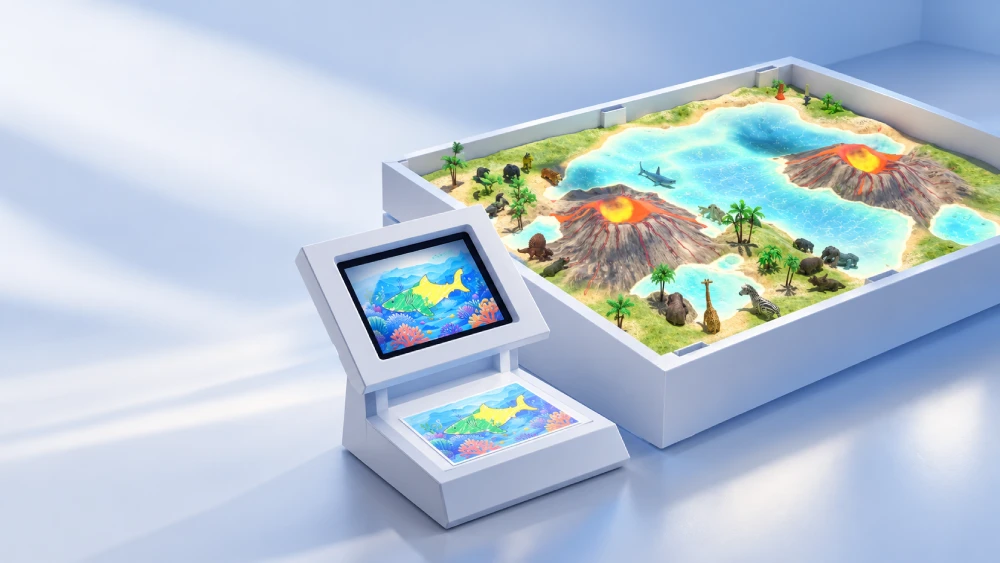
  • Metal enclosures and control tablets: Wipe dust with a soft microfiber cloth lightly dampened with a suitable screen-cleaning product. Apply the product to the cloth rather than spraying the equipment.
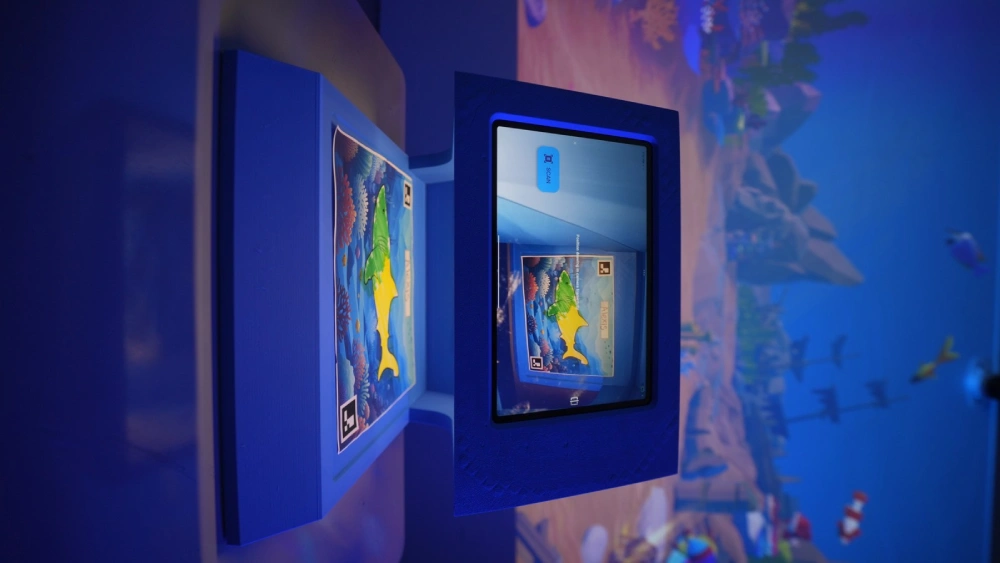
Control tablet integrated into the equipment enclosure

Projector Filters & Optical Components

Where a projector has a serviceable air filter, clean it according to the supplied model’s maintenance instructions to help maintain airflow and cooling.

Follow the manufacturer’s instructions for cleaning projector lenses and sensor windows. Where permitted, use dry microfiber intended for optics, and do not spray liquids directly onto optical components.

Checks Before Opening the Activity Area

  • Component condition: Inspect power cables, control tablets, protective enclosures, and mounting points for visible damage or looseness.
  • Network connection: Check the Wi-Fi or wired connection used for automatic background license checks and remote assistance. The hardware runs locally, while these services require network access.
  • Damage response: If a power cable or load-bearing structure is damaged, stop using the affected unit until the problem is corrected. Contact our support team before returning it to service and follow the applicable warranty instructions.

Discuss Your Facility’s Safety Requirements

Planning a school installation, museum exhibit, therapy room, or indoor play area? Tell us which system you are considering, who will use it, and what your purchasing team needs to review.

Include your room dimensions, intended activities, accessibility needs, and any required certificates or material documentation in your inquiry.

Contact KIDSjumpTECH to discuss the equipment and documentation relevant to your project.

🚀 Just Released

The Next-Gen 3-in-1 System is Here.

Interactive Floor, Wall, and Table in one massive upgrade. Celebrate our new release: build your custom setup today and get our Party Scene Builder included for free ($0).

See the New Device